
Act
Run everyday care from one conversation
Start and stop timers; log, correct, or batch-edit care; update reminders, settings, widget shortcuts, milestones, and memories.
Agent-first baby tracking
Track feeds, sleep, and diapers with Home Screen widgets and caregiver handoffs. Get help with meal prep, school reports, songs, and storybooks, too.
A little help. Already in motion.
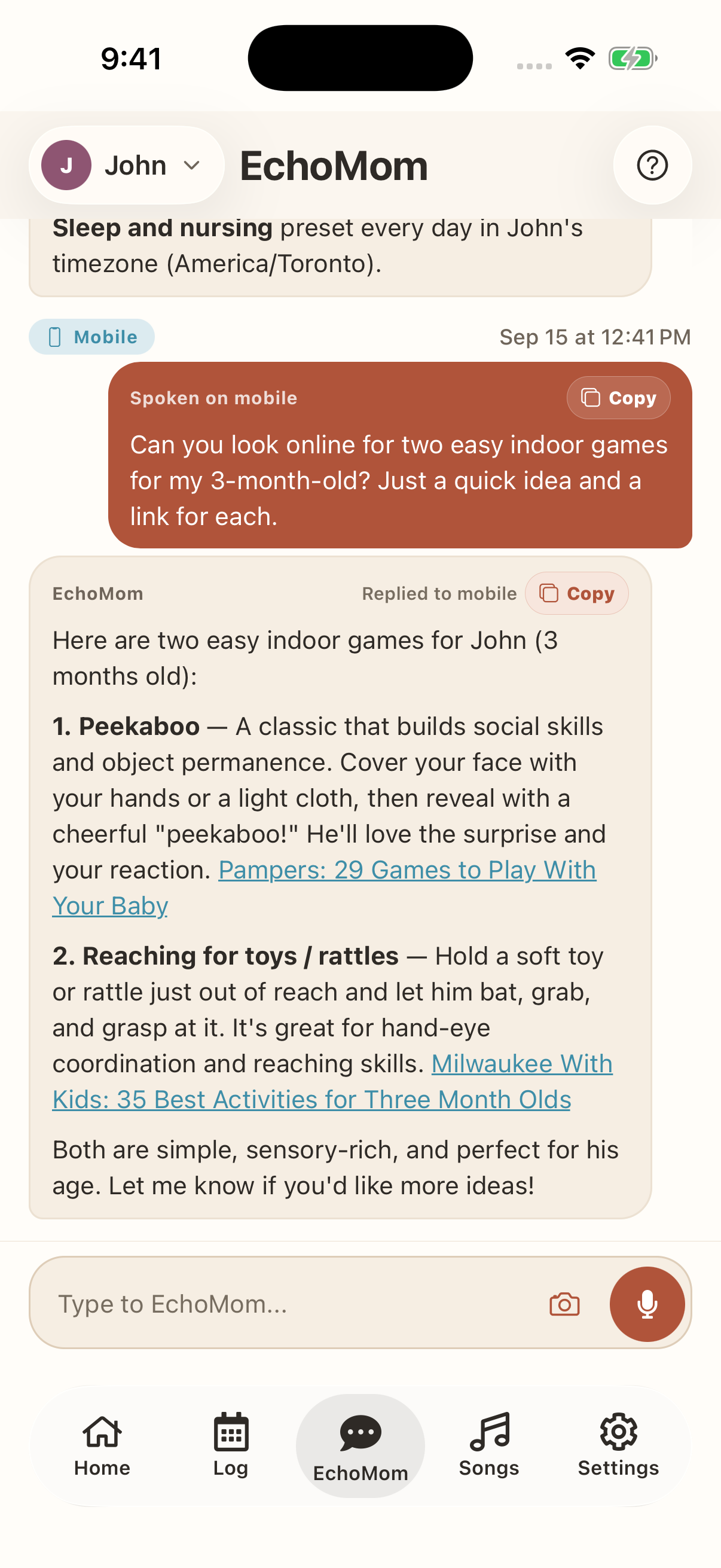
Inside the iOS appCan you look online for two easy indoor games for my 3-month-old? Just a quick idea and a link for each.
Here are two easy indoor games for John (3 months old): 1. Peekaboo — A classic that builds social skills and object permanence. Cover your face with your hands or a light cloth, then reveal with a cheerful "peekaboo!" He'll love the surprise and your reaction. Pampers: 29 Games to Play With Your Baby. 2. Reaching for toys / rattles — Hold a soft toy or rattle just out of reach and let him bat, grab, and grasp at it. It's great for hand-eye coordination and reaching skills. Milwaukee With Kids: 35 Best Activities for Three Month Olds. Both are simple, sensory-rich, and perfect for his age. Let me know if you'd like more ideas!
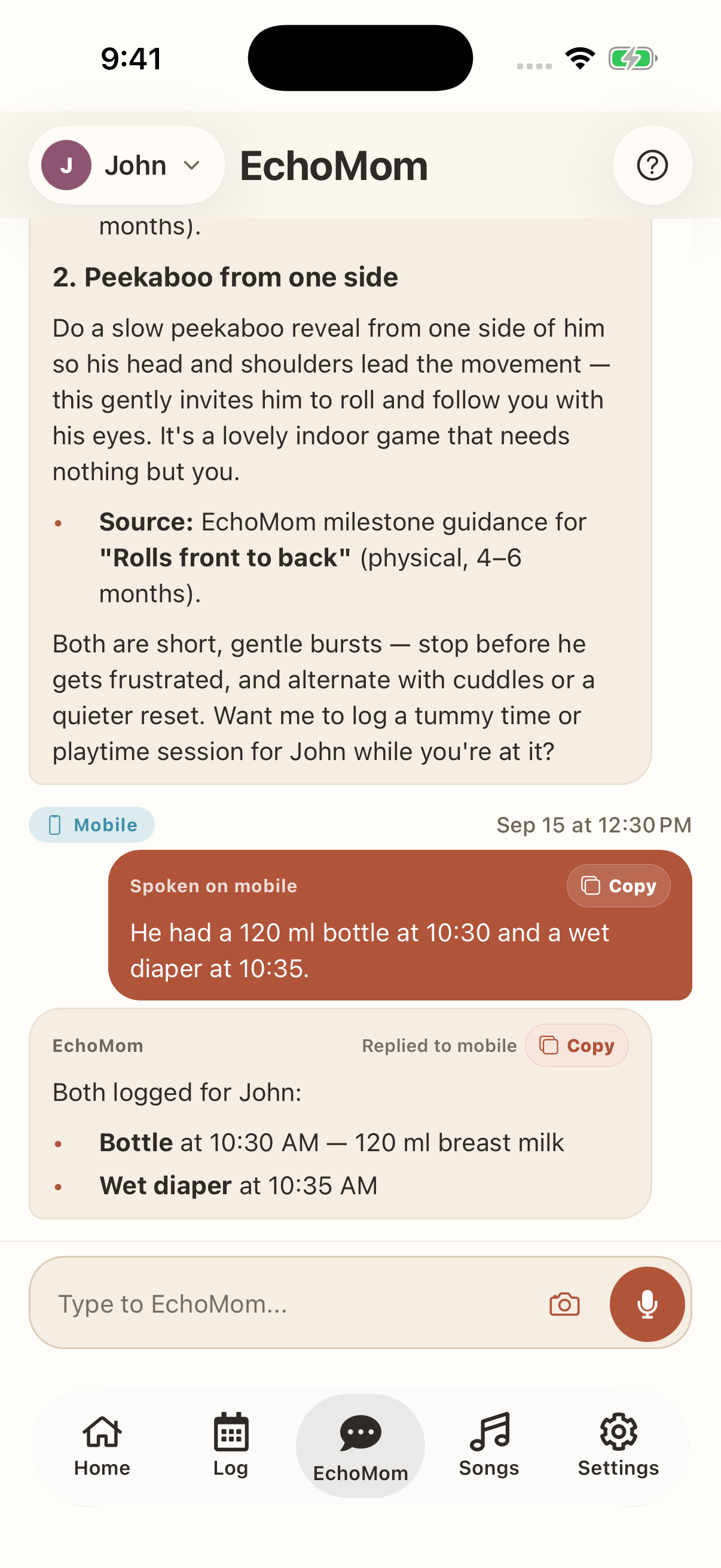
He had a 120 ml bottle at 10:30 and a wet diaper at 10:35.
Both logged for John: Bottle at 10:30 AM — 120 ml breast milk. Wet diaper at 10:35 AM.
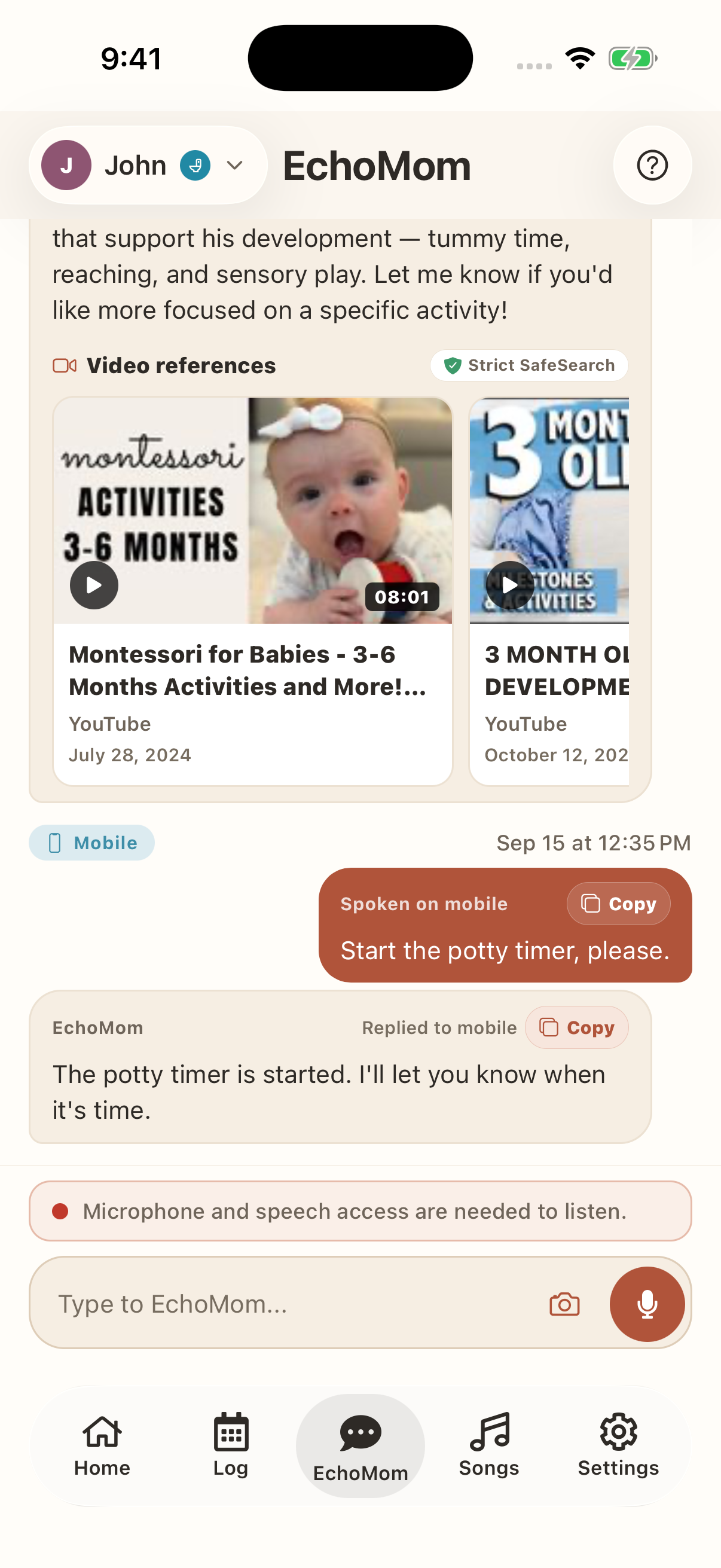
Start the potty timer, please.
The potty timer is started. I'll let you know when it's time.
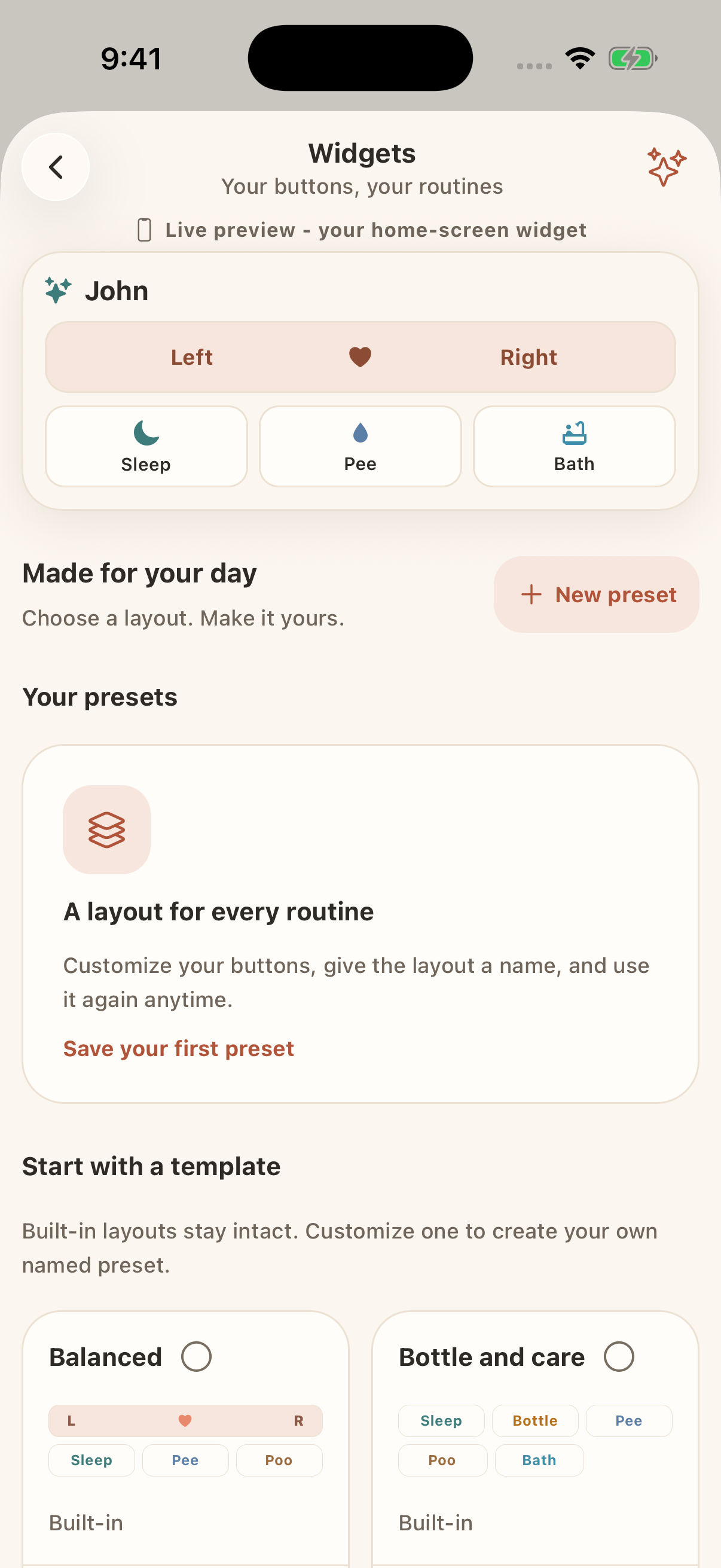
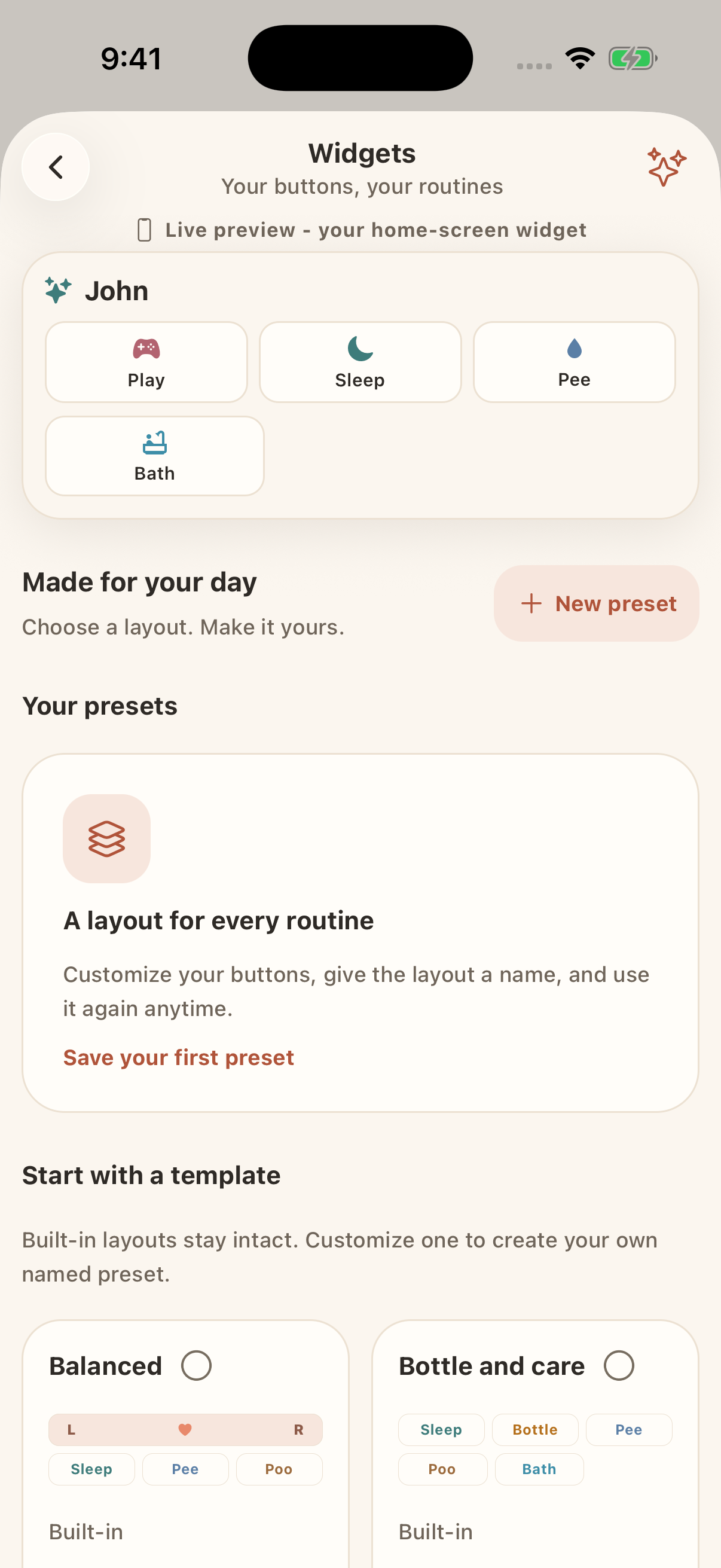
Can you switch my widget to the Newborn preset?
Newborn widget preset with nursing controls, tummy time, and diaper shortcuts.
Switch my widget to Sleep and nursing, please.
Sleep and nursing widget preset with nursing controls, sleep, wet diaper, and bath shortcuts.
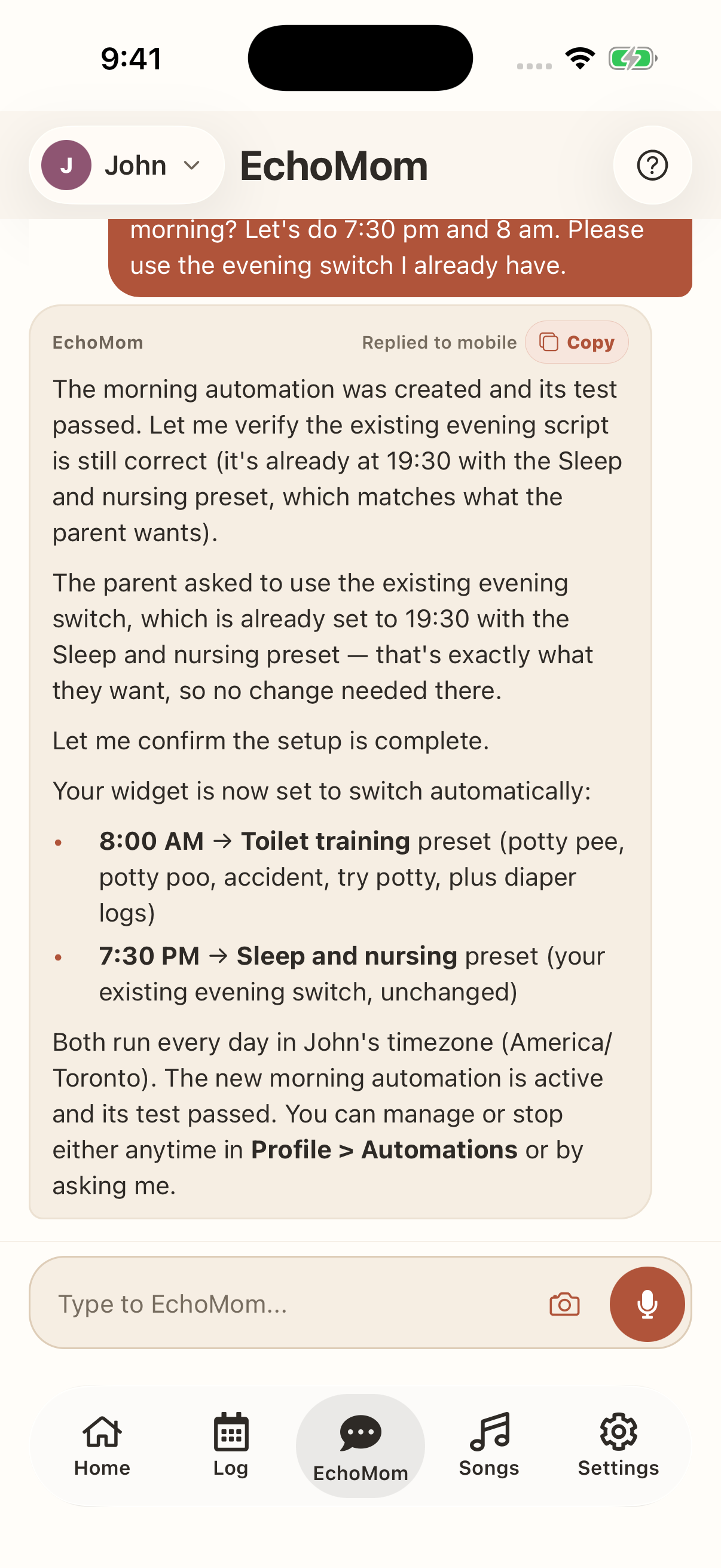
Can you change my widget to the sleep widget in the evening and toilet training in the morning? Let's do 7:30 pm and 8 am. Please use the evening switch I already have.
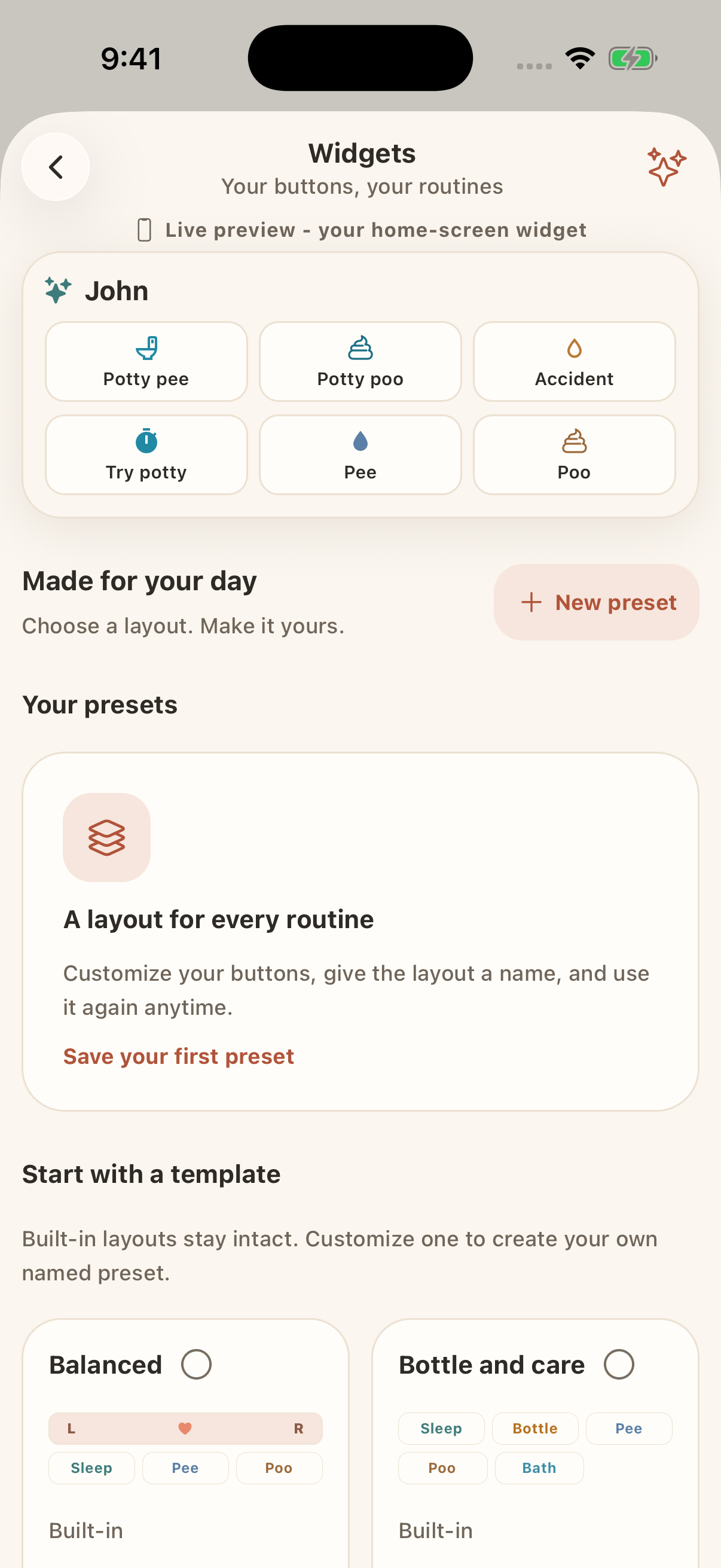
Your widget is now set to switch automatically: 8:00 AM → Toilet training preset (potty pee, potty poo, accident, try potty, plus diaper logs). 7:30 PM → Sleep and nursing preset (your existing evening switch, unchanged).
At 8:00 AM every day, the scheduled widget switches to the Toilet training preset.
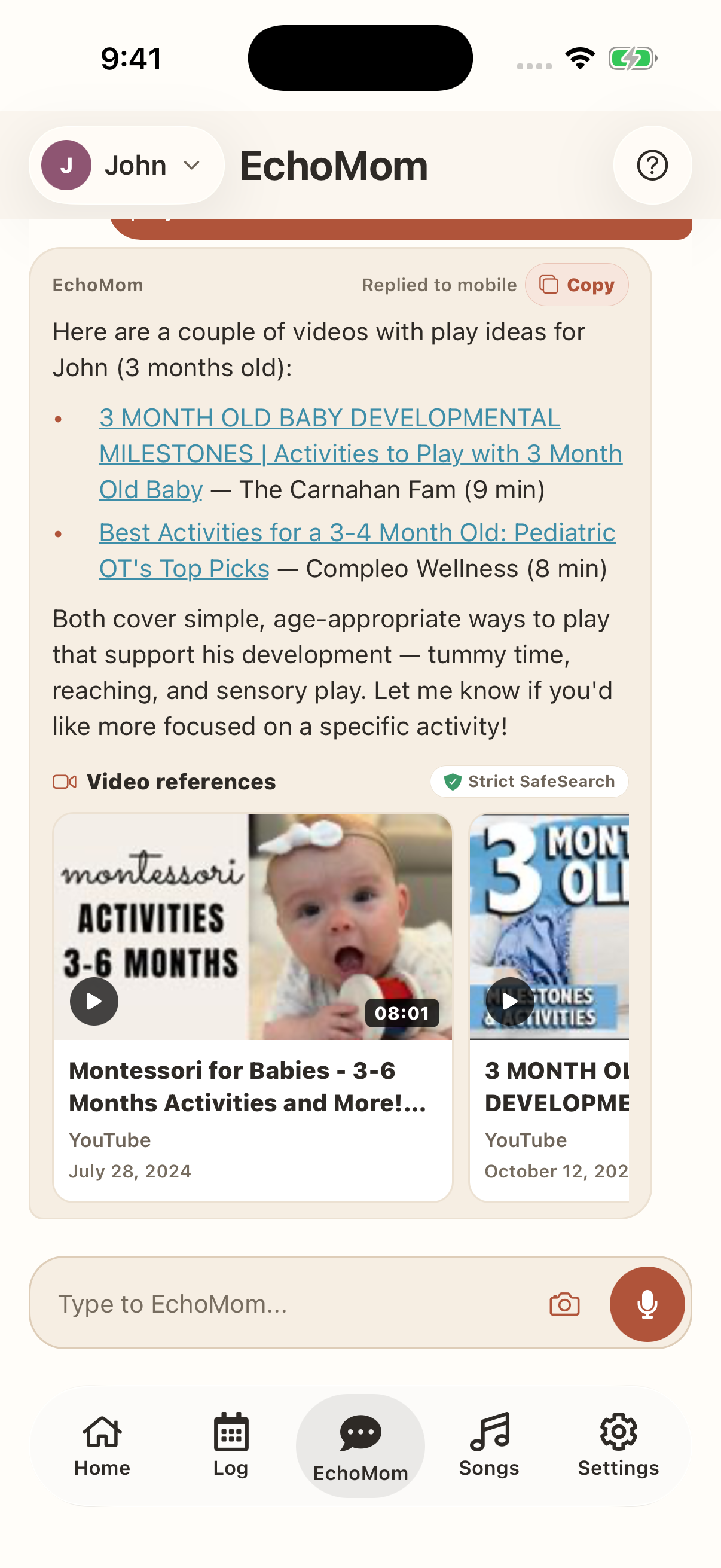
Can you find me a couple of videos of ways to play with John?
Video references. Strict SafeSearch. Montessori for Babies - 3-6 Months Activities and More! YouTube. July 28, 2024.
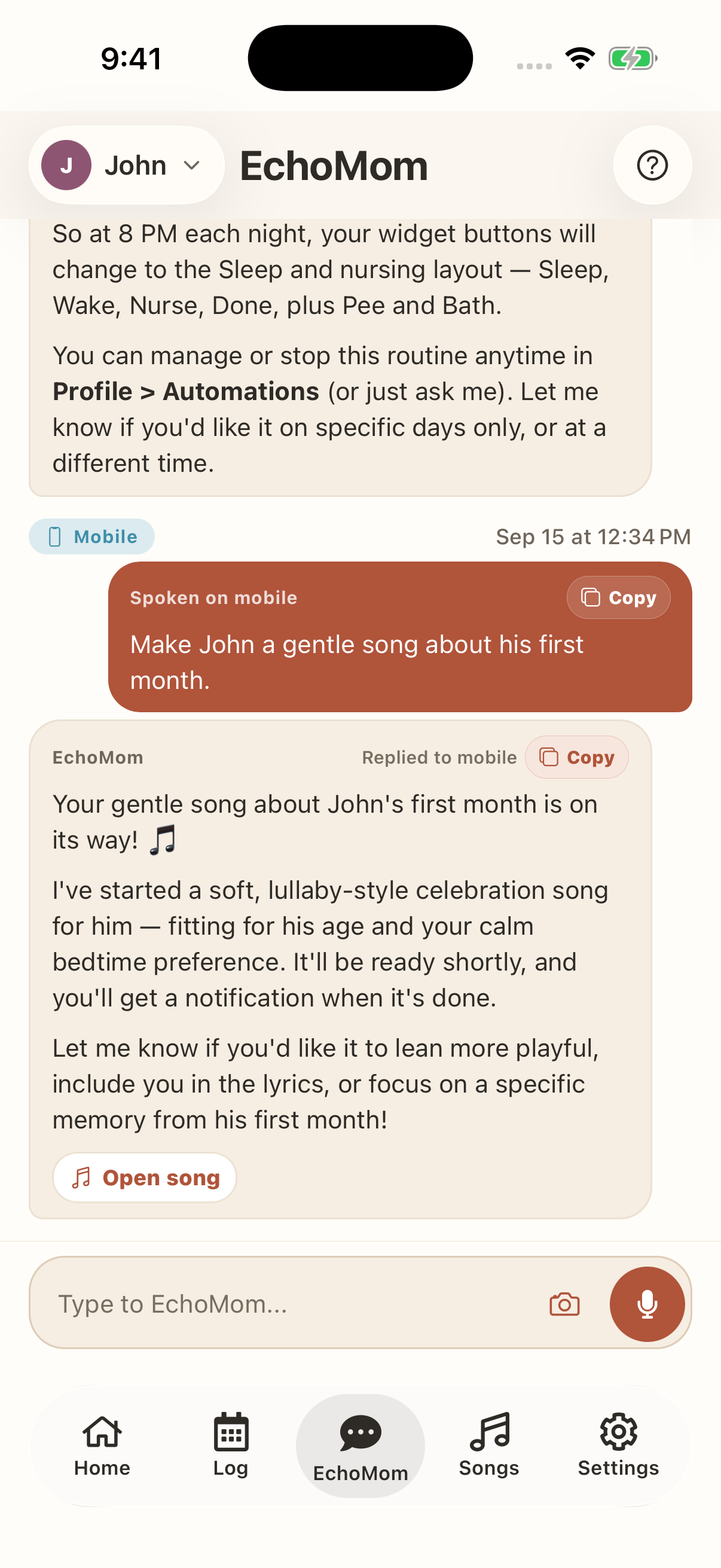
Make John a gentle song about his first month.
Your gentle song about John's first month is on its way! 🎵 I've started a soft, lullaby-style celebration song for him — fitting for his age and your calm bedtime preference. It'll be ready shortly, and you'll get a notification when it's done. Let me know if you'd like it to lean more playful, include you in the lyrics, or focus on a specific memory from his first month! Open song.
Help for everyday family life
Ask for activity ideas with sources, log several care events at once, set up routines, or create a song for your child. EchoMom uses your family's context to help with each request.
See the agent in actionShare care, not passwords. Separate accounts for partners, grandparents, nannies, and daycare caregivers.
Start and stop timers; log, correct, or batch-edit care; update reminders, settings, widget shortcuts, milestones, and memories.
Filter, group, total, average, and compare care across date ranges without building a spreadsheet.
When a current public fact matters, EchoMom can surface sources without putting private family details into the search.
Ask for a demonstration or watchable reference and get a concise, strict-SafeSearch list to choose from.
Turn milestones and family moments into original songs for bedtime, playtime, and memory keeping.
Email visual care summaries to verified caregivers now or on a recurring schedule, and create actionable or conditional notifications.
Based on real EchoMom requests
Say what happened or what you need. EchoMom understands the family context, does the work, and tells you exactly what changed.
Swipe horizontally to read the conversations
Multi-event care log
Log nursing on the left from 3:05–3:17 PM, a 120 mL formula bottle at 3:20 PM, and a wet diaper at 9:46 AM.
All three are logged for John:
Personalized song
Can you make a song about John's first month of life?
I've started a personalized first-month song for John. Lullaby mode is on, so it'll be a calm, sweet tune.
It's being written now and will appear in Songs when it's ready.
PDF nap comparison
Email me a PDF comparing John's naps from the last 7 days with the previous week.
Your weekly nap comparison is on its way.
The email will include a branded PDF with a day-by-day breakdown of both weeks.
Personalized widget preset
Make a widget preset from my child's most-used care events over the last seven days. Call it Everyday.
I checked the last seven days and saved Everyday as your active preset.
Day and night widgets
Use Everyday during the day and a sleep-and-medicine preset at night. Update my existing switches to 8 AM and 8 PM.
Saved Evening with Sleep, Wake, and Medicine. Updated your two daily switches in your child's time zone:
Update a saved preset
Add Temperature, Pee, and Poo to my Evening preset. Keep Sleep, Wake, and Medicine.
Evening now has all six buttons. Your existing nightly switch will use the updated preset.
Based on real in-app requests; lightly edited for length and clarity. Names and family details are sample data.
See how widget presets workComplex questions, clear answers
Ask in plain language. EchoMom can filter and group care, compare date ranges, calculate totals and averages, and package the result as a polished visual report for your care circle.
Try a multi-step request “Email me the last seven days' feeding report.”
Examples use sample data. EchoMom summarizes the care you log and does not provide medical advice.
Songs made personal
Care data should become more than charts. Ask EchoMom to turn a first month, a new word, or a family joke into an original song—then open time-synced lyrics and sing it together.
Swipe or scroll horizontally to hear more
Support beyond the chat
EchoMom carries the work into your Home Screen, your Lock Screen, and a full-screen sing-along—so help stays close after the conversation ends.
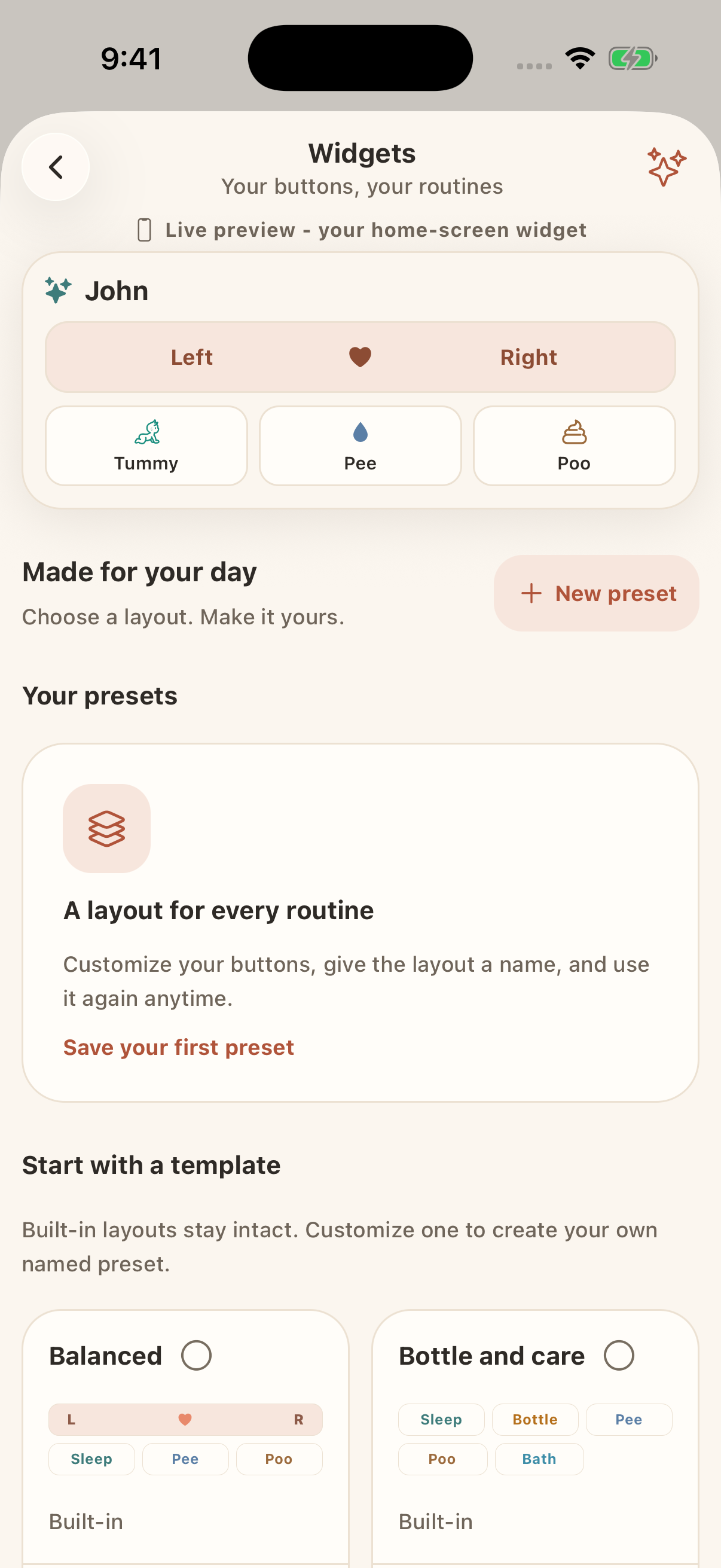
Customizable widget
Choose up to six one-tap actions. Start with age- and routine-aware presets for newborn care, bottles, sleep and nursing, playtime, diaper care, toilet training, or sick days—and ask the agent to recommend a layout.
Home Screen widgets on iOS and Android
Live Activities
On supported iPhones, nursing, pumping, and toilet timers stay on the Lock Screen and Dynamic Island with elapsed time, side totals, and quick controls.
Lock Screen + Dynamic Island when available
Sing Along
Generated songs open into a focused stage with time-synced words, word-by-word highlighting, casting, child lock, offline playback, and optional movement cues.
Time-synced lyrics, casting, and optional movement cues
One calm place for the whole story
Every feed, nap, question, milestone, song, reminder, and caregiver handoff builds on the same family context.
Log feeds, naps, diapers, medicine, symptoms, and sweet moments with quick voice updates.
EchoMom turns messy real-life updates into clean events, shared notes, and useful context.
Invite a partner, grandparent, nanny, or daycare caregiver with their own sign-in—share the child's care without sharing your password.
Naps and night sleep are treated differently, so guidance matches the real routine.
Age-aware milestones appear automatically so you can celebrate every bit of progress.
Our songs are designed to encourage parents to sing with their children. Research suggests that shared singing and musical interaction can strengthen parent-child bonding, support emotional regulation, and promote early language development.
A calendar of events and milestones keeps the day, the week, and the story in view.
Everyone with access sees updates the moment they happen - no double entry.
Agent-first, side by side
Huckleberry publicly describes Berry as an expert-vetted chat for guidance, logging, and recent summaries. EchoMom is designed differently: the conversation becomes a control surface across the app for deeper care questions, core workflows, current public resources, music, reports, and follow-through.
Swipe horizontally to compare
| What matters | EchoMom agent | Huckleberry Berry |
|---|---|---|
| Core app actions | Works across core workflows: start or stop timers; log, correct, or batch-edit care; and manage milestones, memories, songs, widget shortcuts, and settings. | Huckleberry publicly shows Berry giving guidance, logging multiple events, summarizing habits, and connecting to Insights, SweetSpot, and Sleep Plans. |
| Complex care questions | Filter and group care history, calculate totals and averages, compare date ranges, and turn the result into a clear answer or report. | Huckleberry says Berry can use the past 7 days or 20 entries, plus up to 12 months of report data, to personalize guidance and summaries. |
| Current web & video research | Searches public web result snippets when freshness matters and returns strict-SafeSearch video references, while keeping private family details out of search queries. | Huckleberry's published Berry materials describe expert-vetted guidance and app-data context; they do not advertise public-web or video search. |
| Reports & notifications | Creates visual digests, emails them now or on a recurring schedule to verified caregivers, and schedules actionable or conditional notifications. | Huckleberry offers Enhanced Reports and configurable reminders as app features; its Berry materials do not advertise sending custom reports or managing reminders from chat. |
| Personalized music | Turns milestones or requests into original songs and playlists, then opens them in a time-synced Sing Along experience. | Song generation and sing-along playback are not listed in Huckleberry's published Berry capabilities. |
| Parenting & sleep guidance | Connects care history, day naps, night sleep, wake windows, developmental context, and suggested next steps in the same agent. | Berry is positioned as expert-vetted parenting guidance and connects with Huckleberry's established SweetSpot, Insights, and personalized Sleep Plan features. |
Comparison based on Huckleberry's publicly available Berry, Enhanced Reports, and reminders materials, reviewed August 9, 2026. Features may change. Berry overview · Enhanced Reports · Reminders · EchoMom is not affiliated with Huckleberry.
Simple plans for real family life
Both plans include EchoMom's AI care tools, sleep guidance, and shared timeline. Choose Pro for focused support or Family for more children, caregivers, and songs.
Explore EchoMom Family for 14 days
See how the complete EchoMom experience fits your family's routine before choosing.
Focused everyday support
$7.99 USD
per month
A capable care companion for smaller families who want every AI tool with focused monthly limits.
Limited to 1 personalized song per month
More room for growing families
$14.99 USD
per month
The complete EchoMom experience for families who want more shared care, more music, and less mental load.
30 unique personalized songs per month
Trial availability, recurring price, and renewal terms are shown before purchase. Cancel before the trial ends to avoid being charged.
Bring everyday questions, care, routines, and songs to one family agent.